Enabling JavaScript
If you open ActiVote in your browser and see nothing but the ActiVote logo, your browser is most likely not allowing JavaScript. Below are the steps for each browser, and once JavaScript is allowed you can go straight back to myActiVote.com.

Chrome
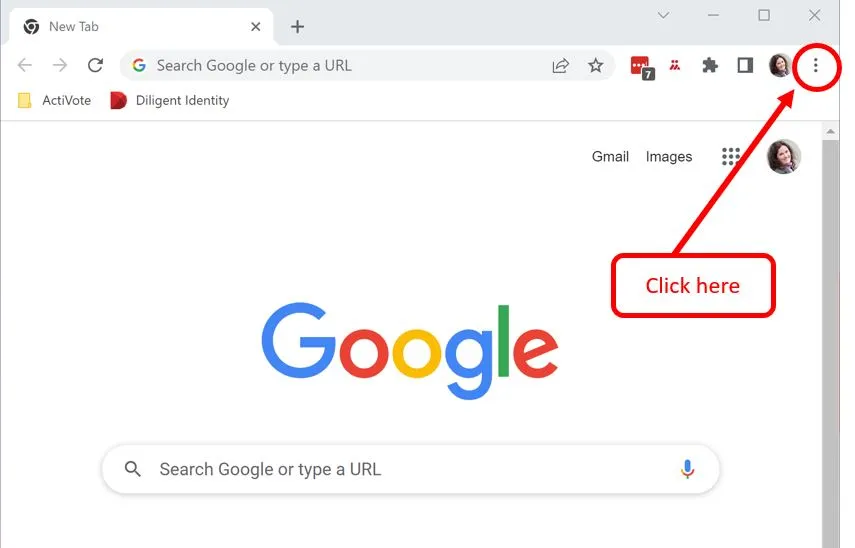
Click the three dots in the top right corner of your browser and choose Settings.
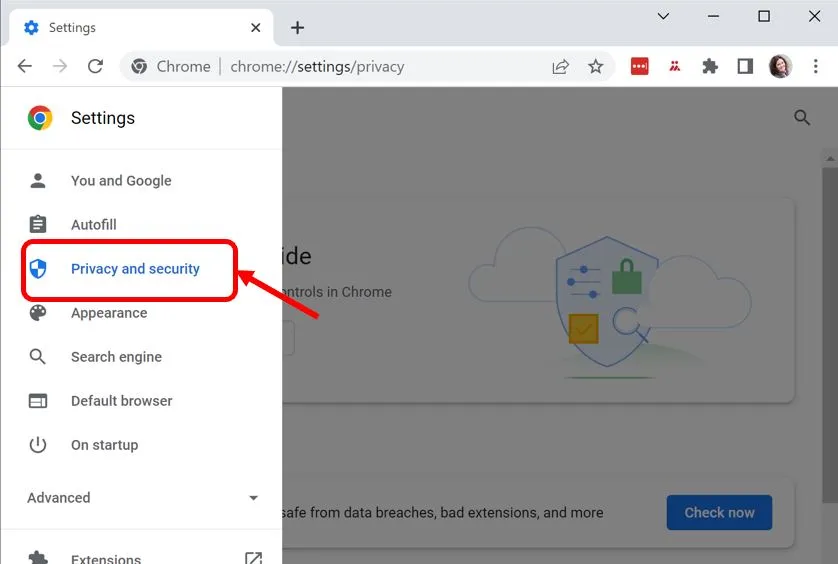
Now choose “Privacy & Security”. If you do not see it straight away, click the three bars at the top right.
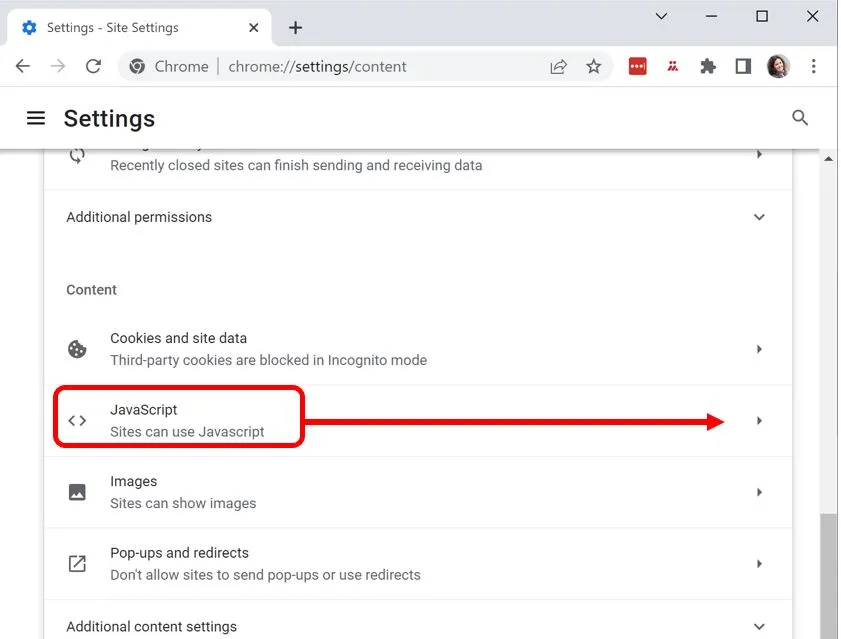
Choose Site Settings and scroll down to JavaScript. Make sure it is set to “Sites can use JavaScript”.
Edge
Click the three dots in the top right corner of your browser and choose Settings.
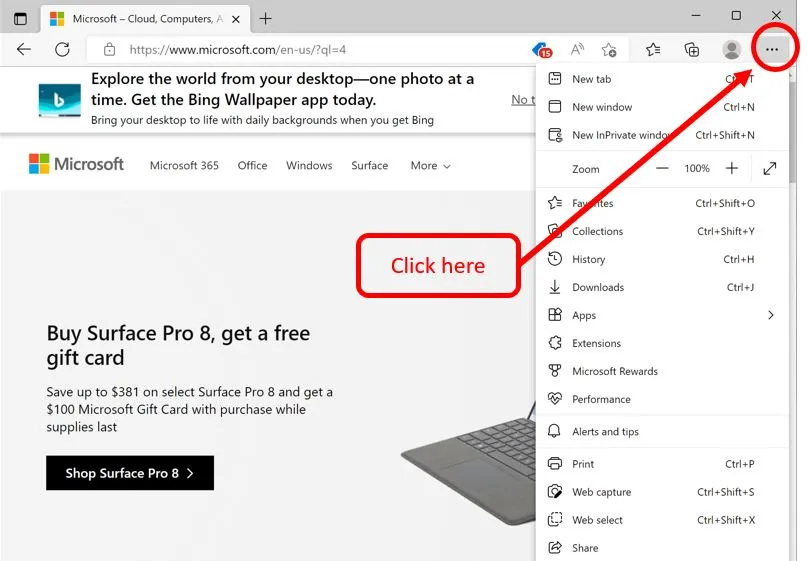
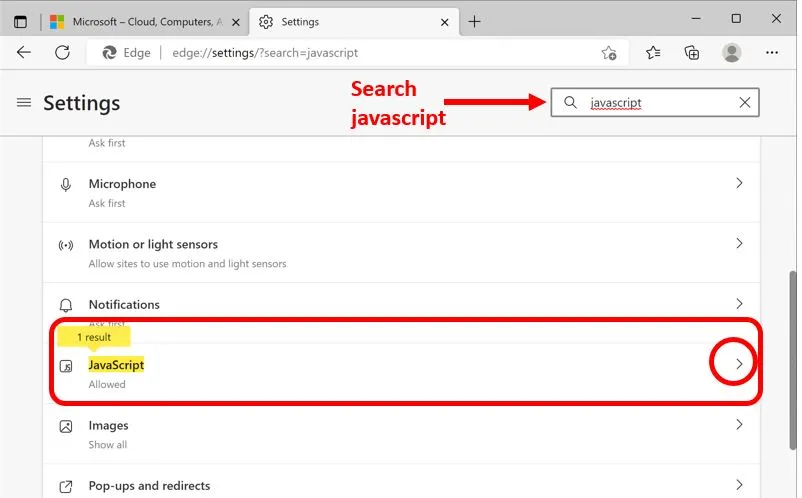
Search for JavaScript in the box at the top right and scroll down to the setting.
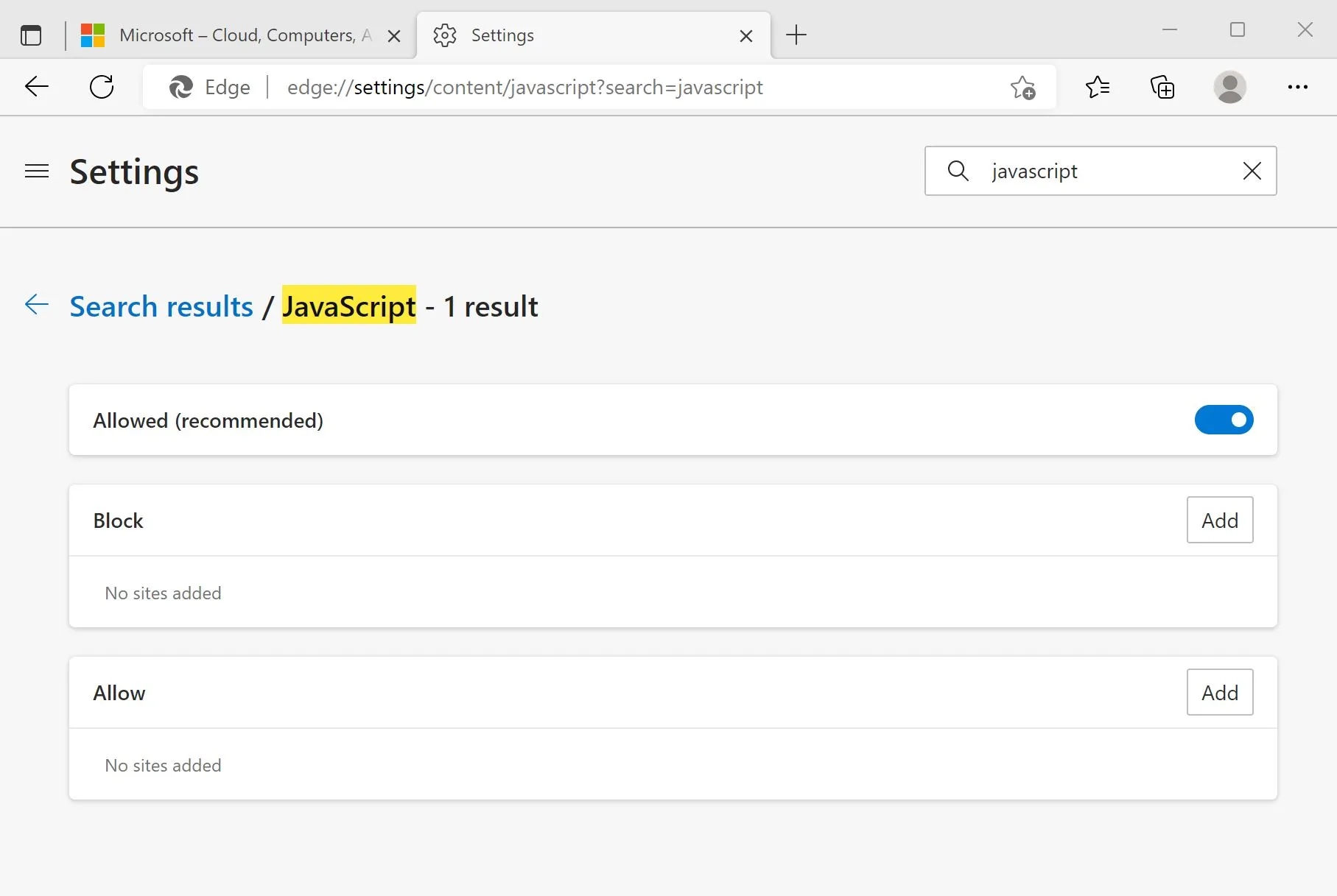
Make sure JavaScript is allowed. If you would rather not allow it everywhere, add myActiVote.com to the list of allowed sites.
Firefox
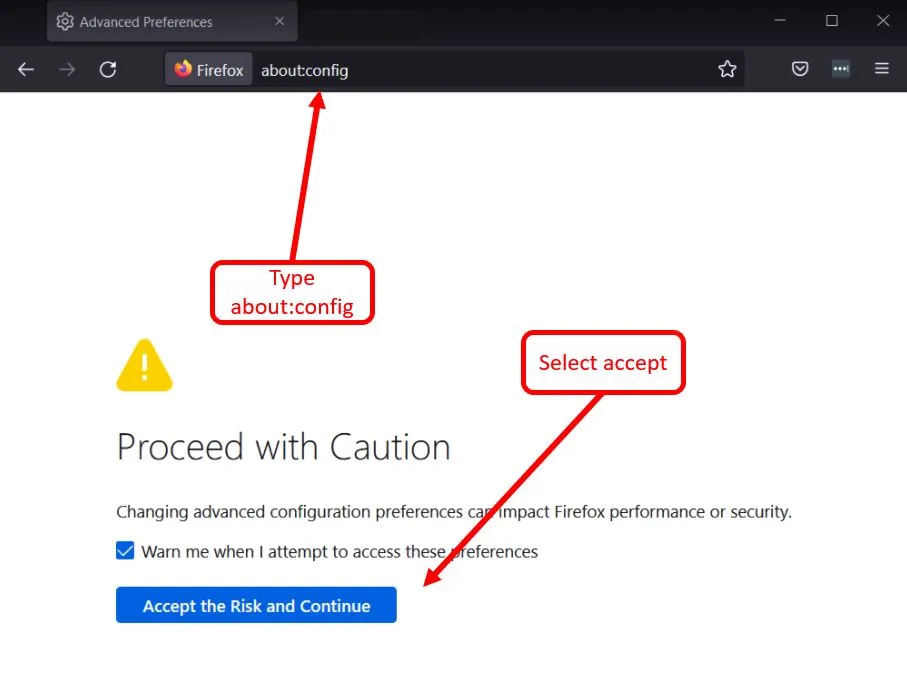
Type about:config in the address bar, then accept to continue to the settings.
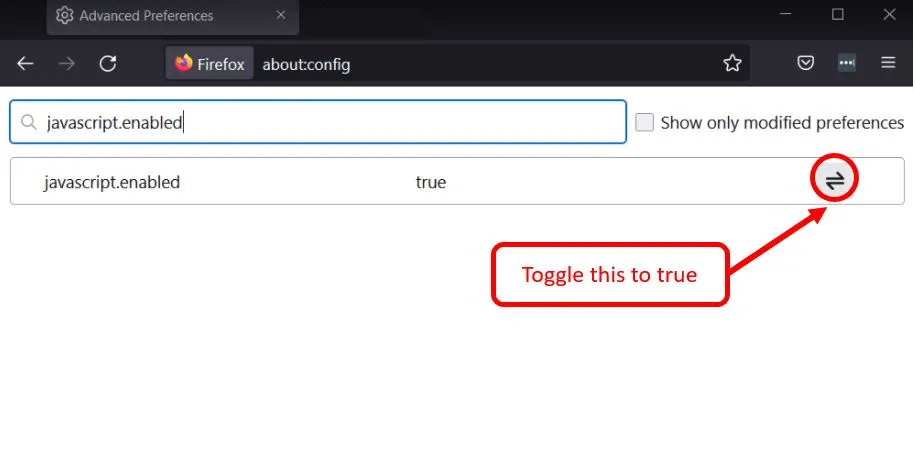
Search for javascript.enabled in the search bar at the top.
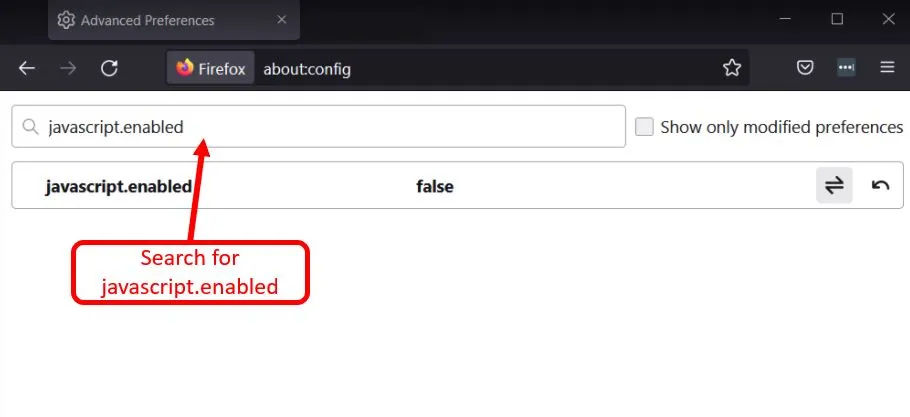
Click the toggle on the right until the JavaScript line reads true.
Safari
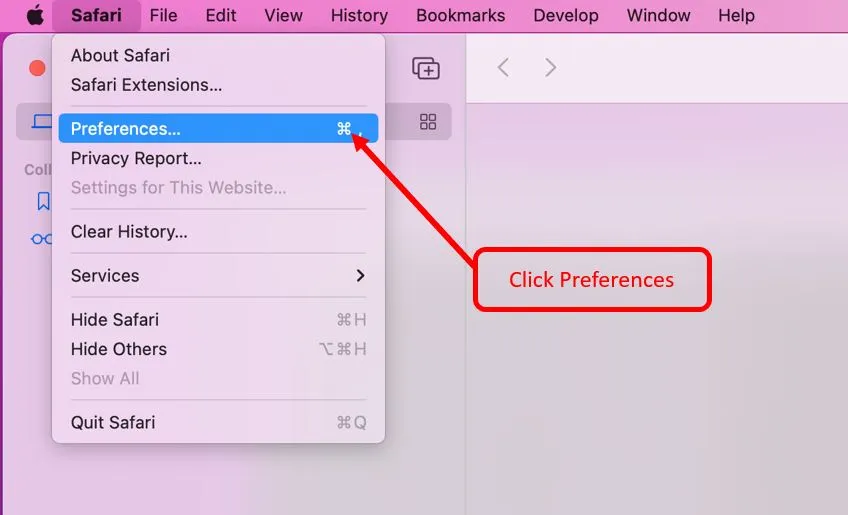
From the Safari menu, choose Preferences.
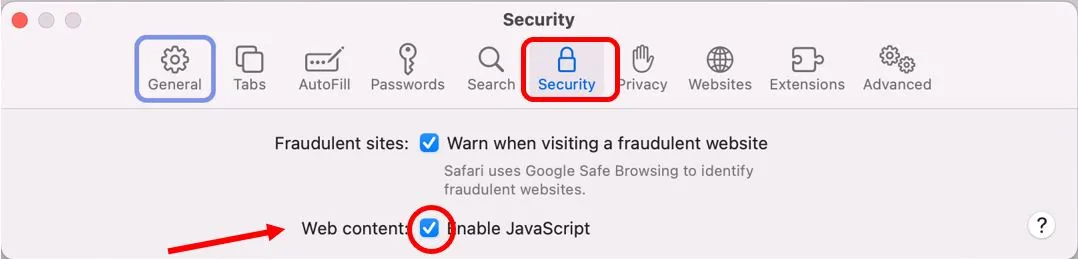
Open the Security tab at the top, and check the box next to “Enable JavaScript”.
Still stuck?
If the logo is still all you see, the other thing browsers sometimes block is WebAssembly — those steps are here. And if neither does it, tell us which browser and version you are on and we will work it out with you.